WINDOWS
Support Win7 or above


MAC
Support MacOS 10.15 or above
AI Mimouse Tutorial
Getting Started
INSTALLATION GUIDE
How to download and install AI MiMouse
1
🔌
Connect USB Dongle
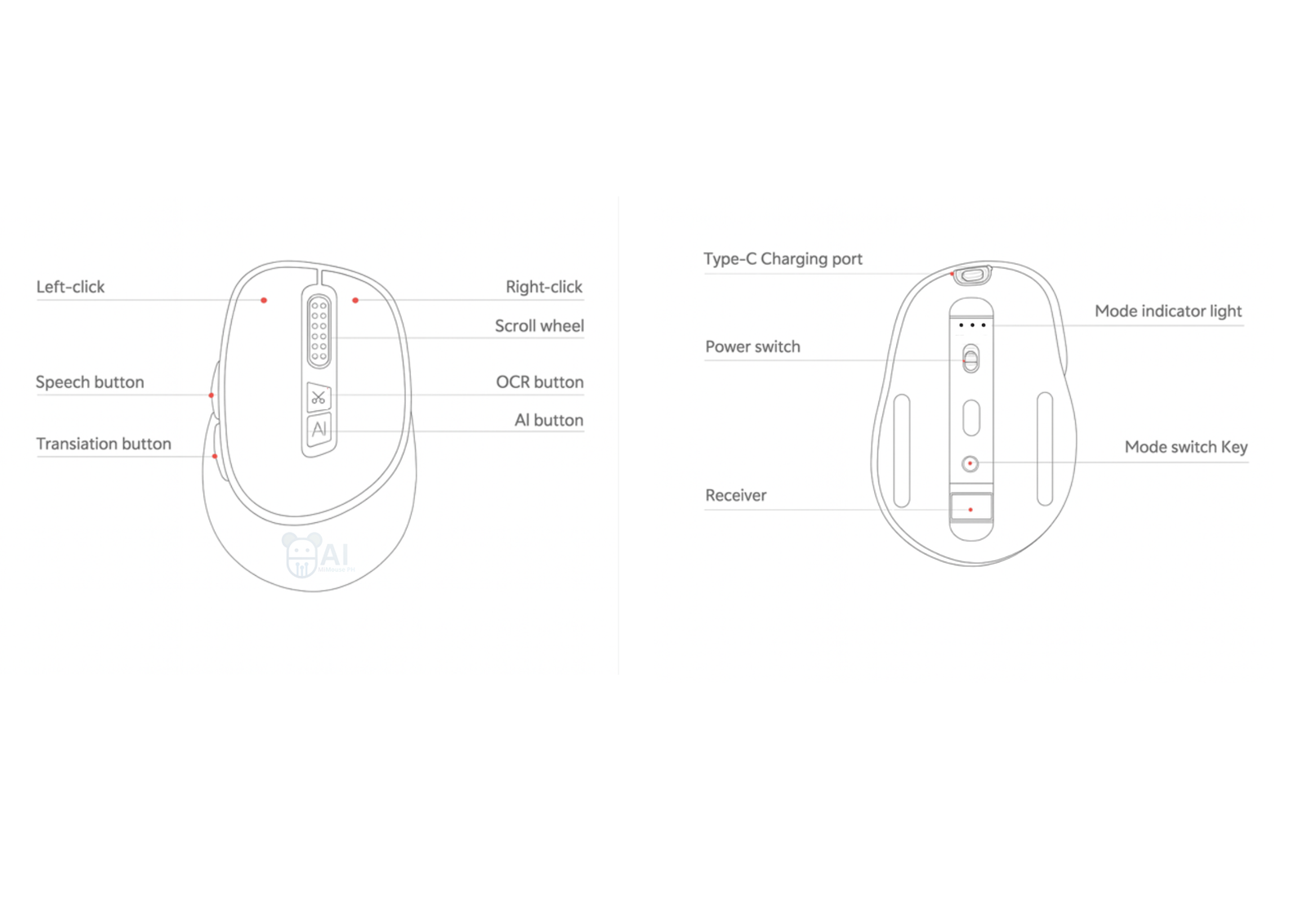
- Locate the USB dongle under the mouse
- Remove and plug it into your PC
- Turn on your AI MiMouse
2
🌐
Visit the Website
Go to the official site to get the software.
Visit aimimouse.ph →3
⬇️
Download the Software
- Click the Download tab
- Select your operating system
🪟 Windows
🍎 Mac
4
⚙️
Install
- Open your Downloads folder
- Double-click the installer
- Follow the setup steps
5
🚀
Launch AI MiMouse
- Windows: Open from Start Menu
- Mac: Open from Applications Folder
🎉 You’re all set!
Need help? Visit aimimouse.ph/faqs or chat with the MiMouse Assistant.